LIONSFORGEDevelopment Studio
All apps
EasyFy

Public Wi-Fi without the login screen.

Log in once to a public captive portal: EasyFy remembers you and reconnects you automatically on future visits. In stations, hotels, and cafés, you never see the login form again.

GET IT ONGoogle Play
EasyFy screen: connection status at a glance

The app in action

See how each feature simplifies your workflow and protects your interests.

Clean Interface

An ultra-simple interface: a single button

The interface focuses strictly on what matters: one central action button to save a network, start connecting, and reach customer support whenever needed.

What you get

  • A single button to save networks and connect
  • Connection status visible at a glance
  • Immediate and direct access to support
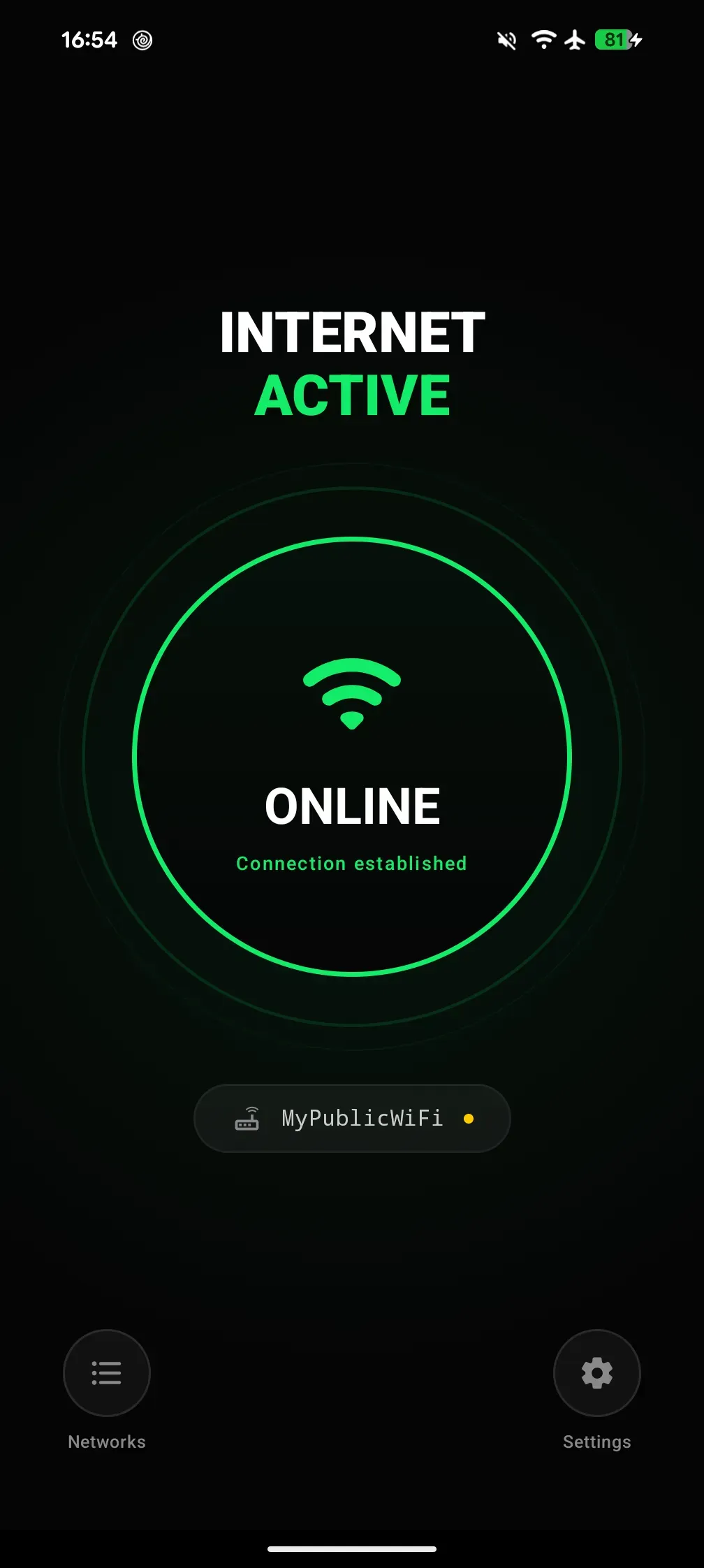
Clean EasyFy interface with Wi-Fi status and central action button
Connection Assistant

A step-by-step assistant to save any network

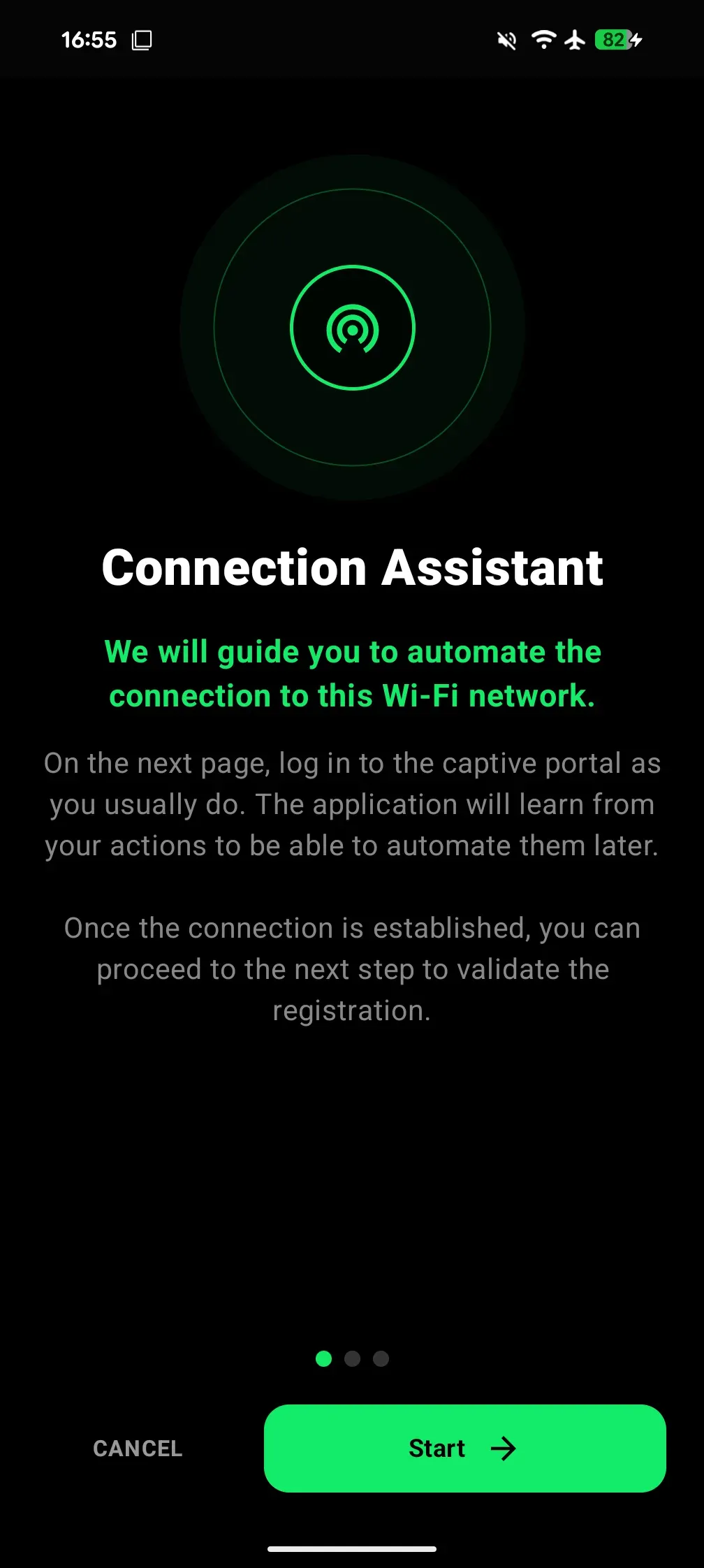
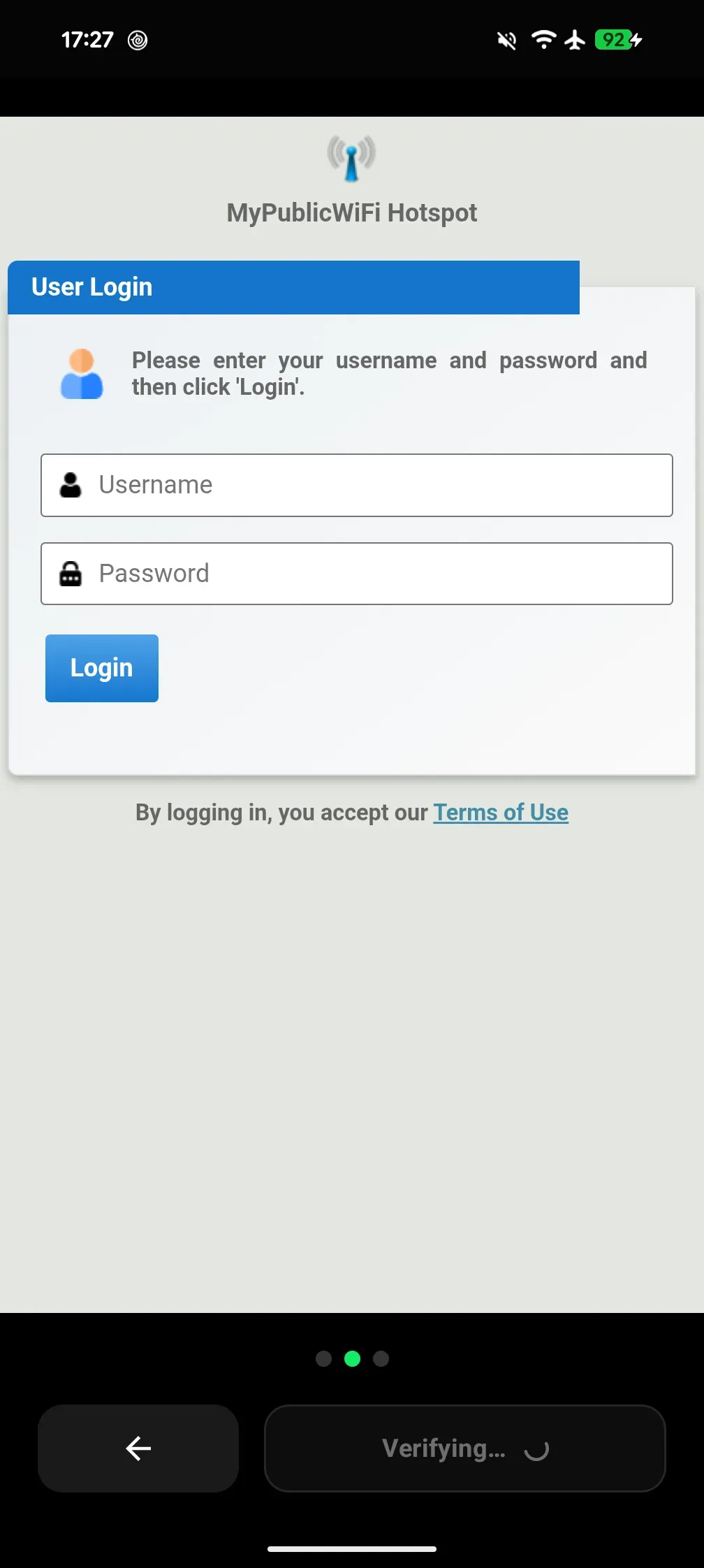
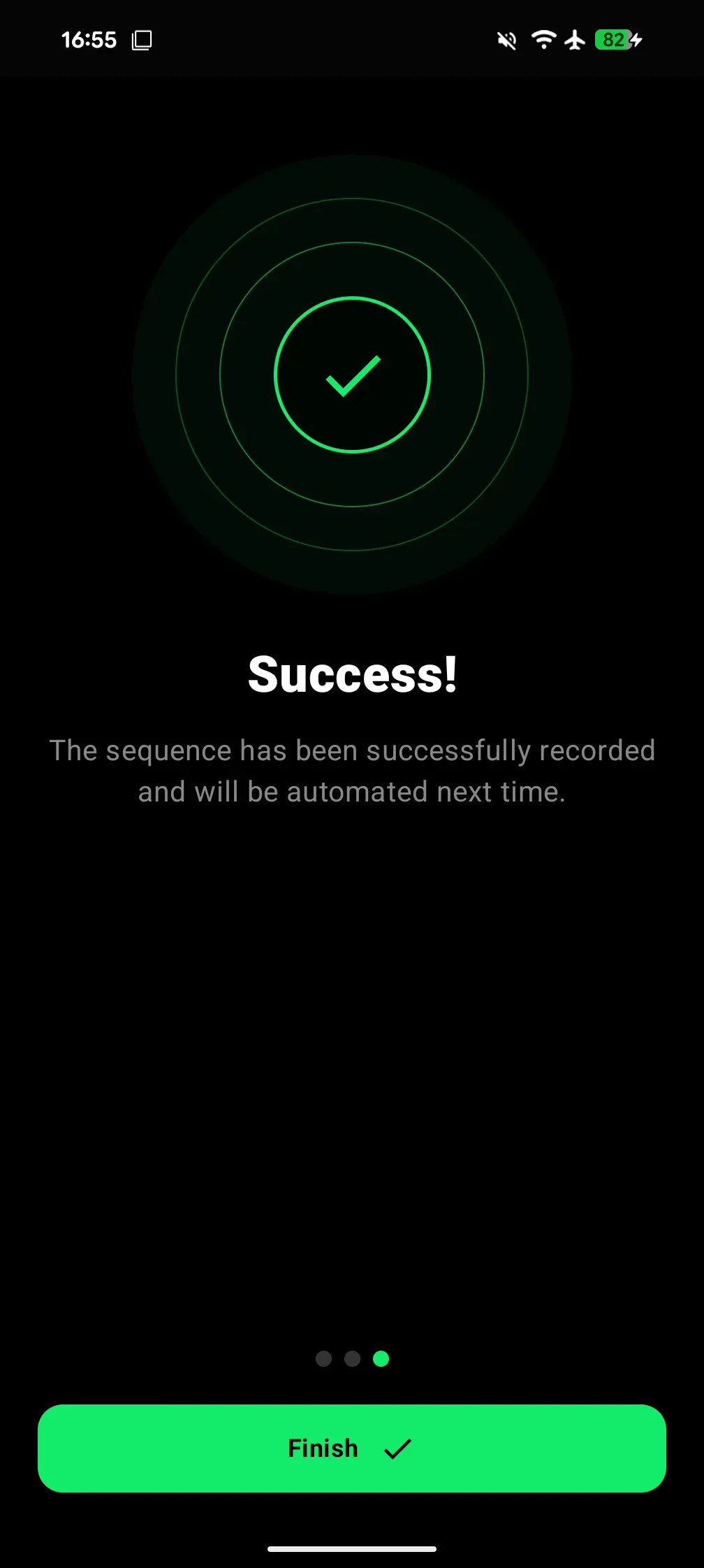
EasyFy guides you step-by-step to record captive portal logins: launch the assistant, validate the portal once in the built-in view, and enjoy automated access from then on.

What you get

  • Clear and intuitive 3-step guided flow
  • Automatic captive portal validation and recording
  • Zero forms to fill on subsequent visits
Assistant 3 étapes
Step 1 screen: EasyFy Connection Assistant
Step 2 screen: Entering and submitting captive portal credentials
Step 3 screen: Successful network recording confirmation
Step 1 — Connection Assistant
Management & Privacy

Stay in full control of your saved networks

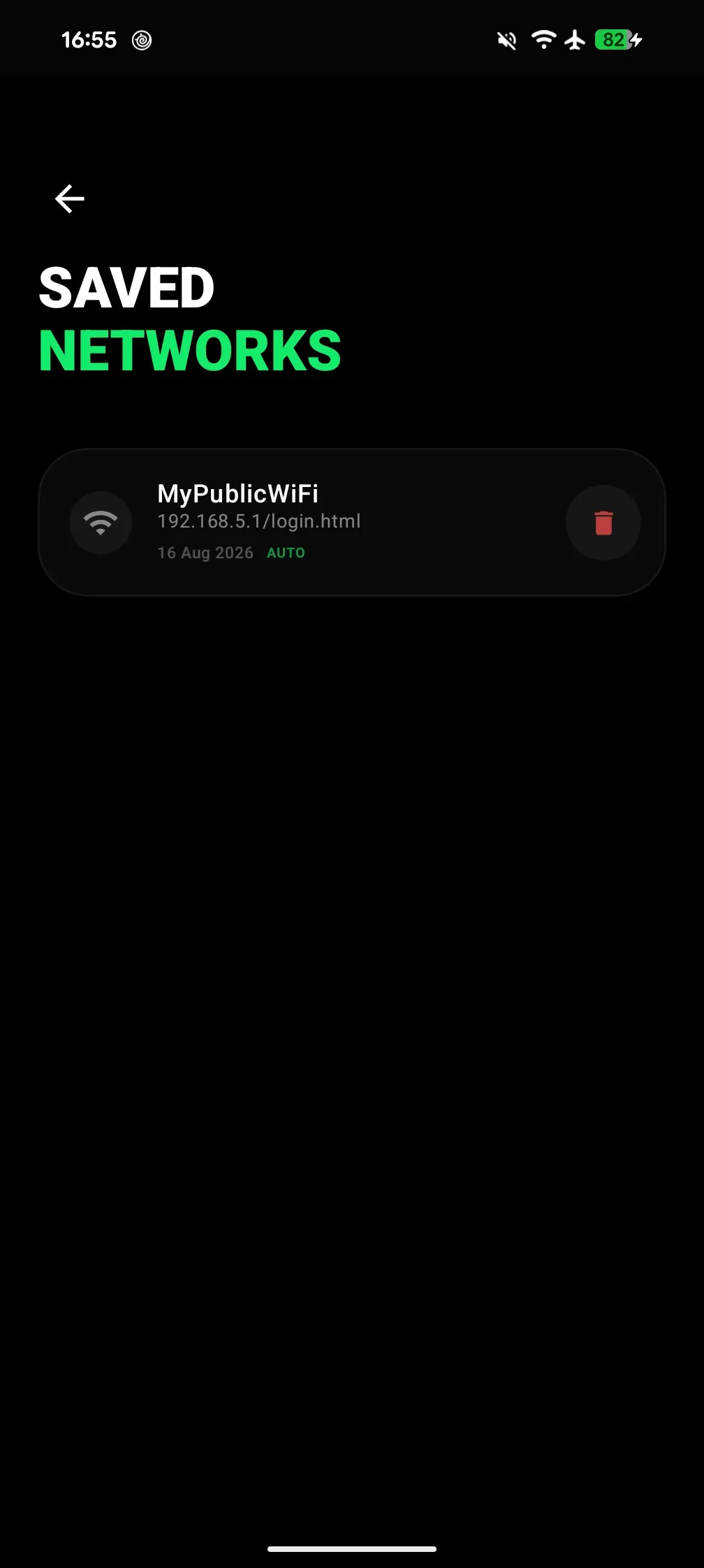
Review your complete list of saved networks and remove them with one tap. Your credentials remain encrypted locally on your phone, with no accounts or remote servers involved.

What you get

  • Clear overview and one-tap network removal
  • Strong local on-device encryption
  • Zero mandatory accounts, zero remote telemetry
Saved networks list and local data protection

Who is it for?

Travelers

In train stations, airports, and hotels, get connected before you even unpack your luggage.

Students

On campus or in the library, say goodbye to repetitive login portals after every break.

Remote workers & nomads

Hop between cafés and coworking spaces without ever thinking about Wi-Fi logins.

Frequently asked questions

Are my Wi-Fi passwords or credentials sent to any server?

No, never. Your credentials are encrypted and stored solely in your phone’s secure local storage.

How does the automatic reconnection work?

Once you configure a public network on your first visit, EasyFy detects the captive portal and automatically completes the login in the background.

Does the app drain my battery in the background?

EasyFy is optimized to only wake up when you connect to a saved public Wi-Fi network, with no noticeable battery impact.

Ready to try EasyFy ?

GET IT ONGoogle Play

Contact us

A suggestion, feedback, or inquiry? We would love to hear from you.

Install on your phone

Scan this QR code with your Android phone’s camera.

VeriCarGoogle Play Store

Point your phone’s camera at the QR code to open the Google Play Store directly.